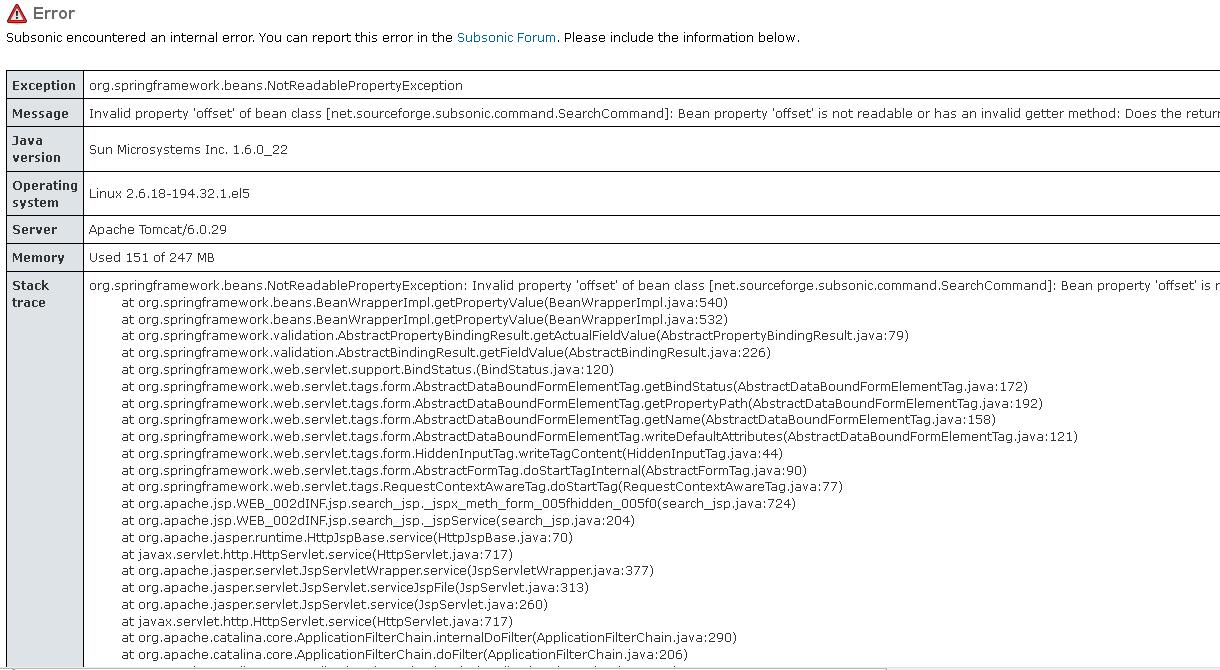
by supra92 » Sat Apr 09, 2011 7:59 pm
Updating this post in case anyone else has been experiencing the same issue (I'm guessing there has, since I saw at least three other threads with that same exact error message and with no resolutions in the threads).
Search engine issue is resolved -- resolution was discovered whilst trying to fix a different issue relating to a dead Cover Art link in Settings. The tomcat6 work dir contained cached versions of the jsp files, and was causing numerous issues whereby I was seeing old cached versions of files, links were failing, and the newer jwplayer Flash player was nonfunctional. In addition, the Search engine failed with the above error message.
Solution involved locating the tomcat6 work dir and deleting all those cached files. On my Scientific Linux 5.5 system with Tomcat6, that dir was located here:
/var/cache/tomcat6/work/Catalina/localhost/subsonic/org/apache/jsp/WEB_002dINF/jsp
Doing an rm -Rf in that directory cleared out all jsp files (and a wap dir). Restarted tomcat6, and all issues were resolved. Search engine works, new jwplayer works, and I'm now seeing the real 4.4 versions of the jsp files (including the new Google Images cover art search interface).
So... if you're using the Tomcat/WAR version of SS and getting a java "invalid property 'offset' of bean class" error when doing a search, try clearing out that tomcat work dir. Special thanks to baaldemon for this fix!
Supra92