[Solved] Changing the width of the Artist column

Need help? Post your questions here.

Moderator: moderators

[Solved] Changing the width of the Artist column

Postby Citrixfr » Tue Jun 07, 2011 9:54 pm

Hello,

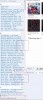
I wonder how to enlarge the list on the left. I'd like to see the entire names.
I tried to find out the CSS but... I didn't -_-

Thanks for help :)


Image
Last edited by Citrixfr on Wed Jun 08, 2011 6:41 pm, edited 2 times in total.
Citrixfr
 
Posts: 11
Joined: Thu Jun 02, 2011 10:15 am
Location: France

Postby Kirk » Wed Jun 08, 2011 2:29 pm

I don't suspect that will be extremely easy to do. You will probably need to modify the source code inside the Jar file or something in order to make that type of change to Subsonic.

-Kirk
Image
User avatar
Kirk
 
Posts: 310
Joined: Tue Jun 08, 2010 5:45 pm
Location: Illinois, USA

Postby Citrixfr » Wed Jun 08, 2011 2:50 pm

I'll keep looking, there must be a way. The hardest is to find out the correct file to edit :(
Citrixfr
 
Posts: 11
Joined: Thu Jun 02, 2011 10:15 am
Location: France

Postby supra92 » Wed Jun 08, 2011 6:35 pm

Hi Citrixfr,

Changing the width of the Artist column on the left does indeed require modifying the JSP code, but thankfully it's not that involved a process.

First, stop Subsonic.

The file you'll want to edit is: $SUBSONIC_HOME/WEB-INF/jsp/index.jsp

Your Subsonic home will vary depending on your OS and installation type (standalone jetty, tomcat WAR, etc.) My tomcat6-based Subsonic home is located at: /usr/share/tomcat6/webapps/subsonic/

Edit the index.jsp file and look for the following line:

Code: Select all
<frameset cols="15%,85%" border="0" framespacing="0" frameborder="0">


The 15% is the width of the left artist column, while the 85% is the width of the main area -- together they should add up to 100%. You can modify those however you want, ie changing them to 30%, 70% for example. You could also go with a fixed-width if that is more to your liking, by specifying a pixel width for the artist column and then * for the main column (so that it takes up whatever else is left).

Start Subsonic back up, and you should be off to the races.

Regards,
Supra92

User avatar
supra92
 
Posts: 137
Joined: Sun Nov 19, 2006 12:17 am
Location: Central Texas

Postby Citrixfr » Wed Jun 08, 2011 6:40 pm

Hi supra92,

Just did it and it works!! woot!
Thanks a lot my Subsonic looks really better now ;)

Citrixfr
Citrixfr
 
Posts: 11
Joined: Thu Jun 02, 2011 10:15 am
Location: France

Postby BluesBoy » Mon Jun 27, 2011 3:35 am

Supra Thanks so much for your help with this. Worked great!

BluesBoy
User avatar
BluesBoy
 
Posts: 21
Joined: Sat Apr 09, 2011 5:56 pm


Return to Help

Who is online

Users browsing this forum: No registered users and 17 guests